


Can I Use WhatsApp, Google Maps, and Uber With a Travel eSIM?
Planning a trip abroad and wondering how you'll stay connected? The good news is, a travel eSIM is your go-to solution for using essential apps like WhatsApp, Google Maps, and Uber. Forget expensive roaming or hunting for local SIM cards – an eSIM provides the mobile data you need to keep all your favorite services running smoothly, ensuring you're always connected, navigating with ease, and getting around stress-free.
Traveler note: Always install your eSIM before you depart or immediately upon arrival in a Wi-Fi zone to ensure a smooth activation and immediate connectivity for all your apps.
How Your Travel eSIM Powers Your Favorite Apps
At its core, a travel eSIM provides you with mobile data connectivity in your destination country or region. This data connection is precisely what apps like WhatsApp, Google Maps, and Uber rely on to function. Think of it as giving your phone access to the internet, just like you would at home, but through a digital SIM profile instead of a physical card.
Once your eSIM is activated and your data plan is live, your phone will have internet access, allowing all your data-dependent applications to work seamlessly. This means you can send messages, get directions, and book rides without worrying about finding Wi-Fi or incurring hefty roaming charges.
WhatsApp with Your Travel eSIM: Stay Connected with Your Own Number
One of the most common questions travelers have is about WhatsApp. The great news is that WhatsApp works perfectly with a travel eSIM. Your WhatsApp account is tied to your phone number, not the specific SIM or eSIM providing the data connection.
When you activate your travel eSIM, your phone gains internet access. WhatsApp simply uses this data connection to send and receive messages, make calls, and update statuses. You won't lose your chats, contacts, or need to change your number. Your friends and family can continue to reach you on your existing WhatsApp number, just as they always have.
Navigating and Getting Around: Google Maps & Uber
For exploring new cities and getting where you need to go, Google Maps and ride-sharing apps like Uber are indispensable. Both rely heavily on a stable internet connection, and a travel eSIM delivers just that.
Google Maps: With an active eSIM, Google Maps provides real-time navigation, traffic updates, public transport information, and the ability to search for nearby restaurants, attractions, or services. While you can download offline maps as a backup, having live data ensures you always have the most current information and can adjust your route on the fly.
Uber (and similar apps): Whether you're hailing a taxi, booking a ride-share, or ordering food delivery, apps like Uber need data to connect you with drivers, track your journey, and process payments. An eSIM ensures you can reliably request a ride from anywhere, communicate with your driver, and monitor their arrival, making your travel logistics much smoother.
Does a Travel eSIM Include a Phone Number for Calls and SMS?
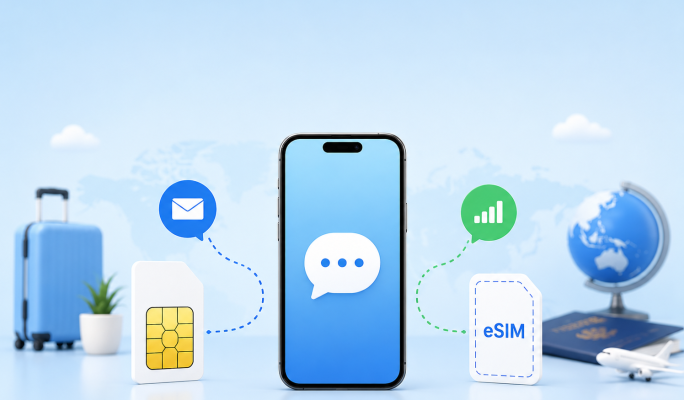
This is an important distinction for many travelers. Most travel eSIMs, including those offered by eSIMstep, are primarily data-only plans. This means they provide internet access but typically *do not* come with a local phone number for making traditional voice calls or sending SMS text messages.
However, this doesn't mean you can't communicate. You can still make and receive calls using internet-based apps like WhatsApp Calling, FaceTime, Skype, or Google Meet, all of which use your eSIM's data connection. Your primary phone number (from your home SIM) will also remain active for receiving calls and texts if your home SIM is still enabled and roaming is active, or if you use Wi-Fi calling.
Travel eSIM vs. Local Physical SIM: A Quick Comparison
While both options provide connectivity, understanding the differences can help you choose the best fit for your trip.
| Feature | Travel eSIM | Local Physical SIM |
| Installation | Digital download (QR code/manual entry) | Physical swap in phone |
| Phone Number | Typically data-only (no local number) | Often includes local number for calls/SMS |
| Convenience | Purchase and activate before/upon arrival, no physical handling | Requires finding a vendor, physical purchase, and swap |
| Dual SIM | Easy to use alongside your home physical SIM | May require removing home SIM if phone has only one physical slot |
Common eSIM Mistakes to Avoid
To ensure a smooth experience, be aware of these common pitfalls:
1. Using a Locked Phone: Your phone *must* be unlocked by your home carrier to use a travel eSIM from another provider. If it's locked, contact your carrier before your trip. Check eSIMstep.com/compatible-devices for device compatibility.
2. Installing Too Late: Don't wait until you're in a foreign country without Wi-Fi to install your eSIM. Install it before you leave or immediately upon arrival while connected to airport Wi-Fi. This ensures you're connected from the moment you step off the plane.
3. Expecting a Local Phone Number: Remember that most travel eSIMs are data-only. If you need a local number for specific reasons (e.g., local bookings that require SMS verification), consider if a physical local SIM might be a better fit, or explore VoIP options.
4. Not Checking Data Settings: After installation, ensure your phone's mobile data is set to use the eSIM profile and that data roaming is enabled for the eSIM (if applicable to the plan).
Before You Travel: Your eSIM Checklist
A little preparation goes a long way:
- Check Device Compatibility: Confirm your smartphone supports eSIM technology and is unlocked. Visit eSIMstep.com/compatible-devices.
- Choose Your Plan: Select an eSIM plan that matches your data needs and travel duration for your destination. Explore options at eSIMstep.com/destination.
- Install Early: Install your eSIM profile while you have a stable internet connection, ideally before you leave home. Follow the steps at eSIMstep.com/esim-installation.
- Understand Activation: Note if your eSIM activates immediately upon installation or only when you arrive in the destination country and connect to a supported network.
- Manage Settings: Know how to switch between your primary SIM and your eSIM for data, and how to enable/disable data roaming for each.
Understanding eSIM Coverage and Roaming Agreements
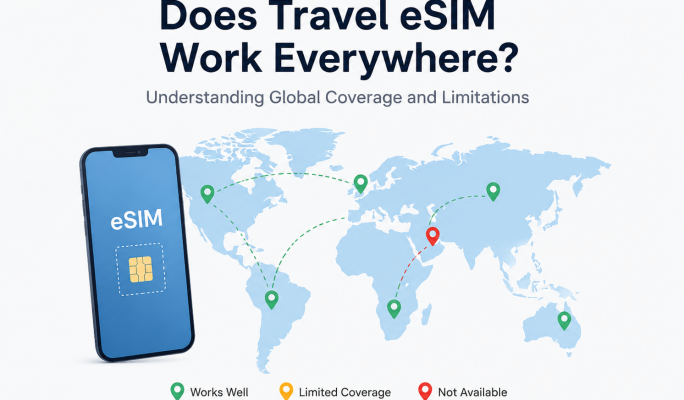
While eSIMs offer incredible convenience, it's important to understand that coverage can vary. An eSIM provider relies on roaming agreements with local network carriers in each destination. This means that the quality and availability of service can depend on the specific local partner networks and their infrastructure.
Factors like geographical location within a country, local network congestion, and even the specific plan you choose can influence your experience. Always check the latest destination pages on the eSIMstep website (e.g., esimstep.com/country-plans/united-states) for details on network partners and any known coverage variations. Keep in mind that roaming agreements and network coverage can change over time.
Frequently Asked Questions (FAQ)
Q: Do I need Wi-Fi to use my eSIM?
A: No, once activated, your eSIM provides its own mobile data connection, eliminating the need for Wi-Fi to use your apps. You only need Wi-Fi for the initial eSIM installation if you're not already connected to mobile data.
Q: What if my phone is locked to my home carrier?
A: A phone locked to a specific carrier cannot use an eSIM from another provider. You must contact your home carrier to unlock your phone before your trip to use a travel eSIM.
Q: Can I keep my home number active while using an eSIM for data?
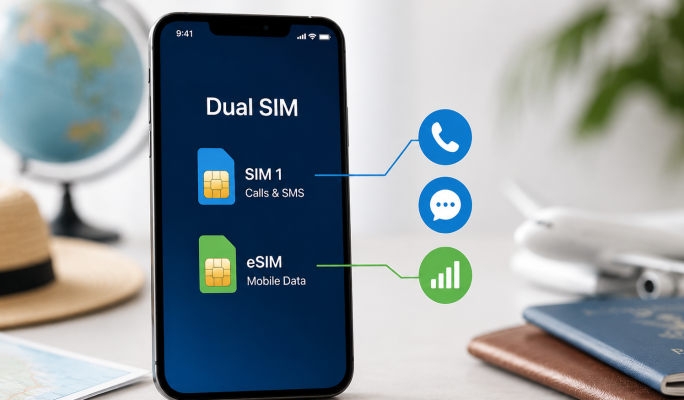
A: Yes, most modern smartphones support Dual SIM Dual Standby (DSDS), allowing you to use your home physical SIM for calls/texts (if roaming is enabled or on Wi-Fi) and the eSIM for data simultaneously. You can choose which SIM to use for data in your phone's settings.
Q: When should I install my eSIM?
A: It's best to install your eSIM before you depart, while still connected to a reliable Wi-Fi network, or immediately upon arrival at your destination while on airport Wi-Fi. This ensures you're connected as soon as you need it.