

The Complete Guide to Using Two SIMs on One Phone (2026)
Imagine traveling the world, exploring new cultures, and never worrying about losing touch with your home network or facing exorbitant roaming charges. For years, international travel meant either swapping SIM cards, carrying a second phone, or paying premium rates for data. But thanks to the evolution of mobile technology, specifically dual SIM phones and eSIMs, those days are largely over. This comprehensive guide will walk you through everything you need to know about using two SIMs on one phone, focusing on how travelers can leverage this powerful feature to maintain their home number for calls and crucial SMS, while simultaneously enjoying affordable, high-speed mobile data abroad with an eSIM from eSIMstep. Get ready to transform your travel connectivity experience.
Travel smarter by using your home SIM for calls and texts while using an eSIM from eSIMstep for affordable, high-speed mobile data in 180+ countries.
What is Dual SIM Technology?
Dual SIM technology allows a single smartphone to operate with two separate Subscriber Identity Modules (SIMs) simultaneously. This means your phone can connect to two different mobile networks, or two different numbers, at the same time. Historically, this involved two physical SIM card slots, but with the advent of eSIMs, many modern phones now support one physical SIM and one or more eSIMs. For travelers, this capability is a game-changer. Instead of constantly swapping out your home SIM card or carrying an extra device, a dual SIM phone lets you manage personal and travel communication seamlessly. It's about convenience, flexibility, and staying connected on your terms, whether you're managing work and personal lines or optimizing connectivity while abroad. Understanding dual SIM is the first step to unlocking a more efficient and cost-effective mobile experience, especially for those who frequently cross borders.
Physical SIM vs eSIM: A Traveler's Comparison
The world of SIM cards has evolved from the traditional physical chip to the embedded digital eSIM. A physical SIM is a small, removable plastic card that you insert into your phone. It stores your subscriber information and allows you to connect to a mobile network. An eSIM, on the other hand, is a digital SIM embedded directly into your device's hardware. It functions identically to a physical SIM but eliminates the need for a physical card. For travelers, the eSIM offers significant advantages. There's no need to find local stores, deal with tiny trays, or worry about losing your home SIM. You can purchase and activate an eSIM plan online, often before you even leave home, and switch between plans digitally. This makes managing multiple lines, especially when traveling, incredibly simple and efficient. eSIMs are particularly beneficial for dual SIM setups, allowing you to combine your existing physical SIM with a new digital travel plan.
How Dual SIM Works on Your Phone
At its core, dual SIM functionality means your phone has the hardware and software capabilities to maintain two active network connections. When you have two SIMs (e.g., your home physical SIM and a travel eSIM) installed and activated, your phone essentially operates like two phones in one. You'll typically see two signal strength indicators on your screen, one for each line. You can assign one SIM for calls and SMS and the other for mobile data, or even use both for calls and texts, depending on your preferences and the network coverage. The phone's software allows you to easily switch which line is used for outgoing calls, messages, and, most importantly for travelers, which line provides mobile data. This seamless integration ensures you can receive important calls or bank verification codes on your home number while browsing the web or using navigation apps with an affordable local data plan.
Unlocking Travel Freedom: Benefits for Travelers
For the modern international traveler, dual SIM technology, especially when combined with an eSIM, offers unparalleled benefits. The most significant advantage is the ability to avoid expensive international roaming charges. Instead of paying your home provider's high rates for data abroad, you can simply activate an affordable eSIM data plan for your destination. This translates to substantial savings, allowing you to allocate more of your budget to experiences rather than connectivity. Furthermore, dual SIM ensures you stay connected without interruption. You can keep your primary phone number active for essential calls and texts, like receiving bank verification codes or communicating with family, while using a separate eSIM for reliable, high-speed internet access. This convenience means no more hunting for local SIM card vendors upon arrival or struggling with unreliable public Wi-Fi. It’s about seamless, stress-free connectivity wherever your adventures take you.
Keep Your Home Number While Using Travel Data
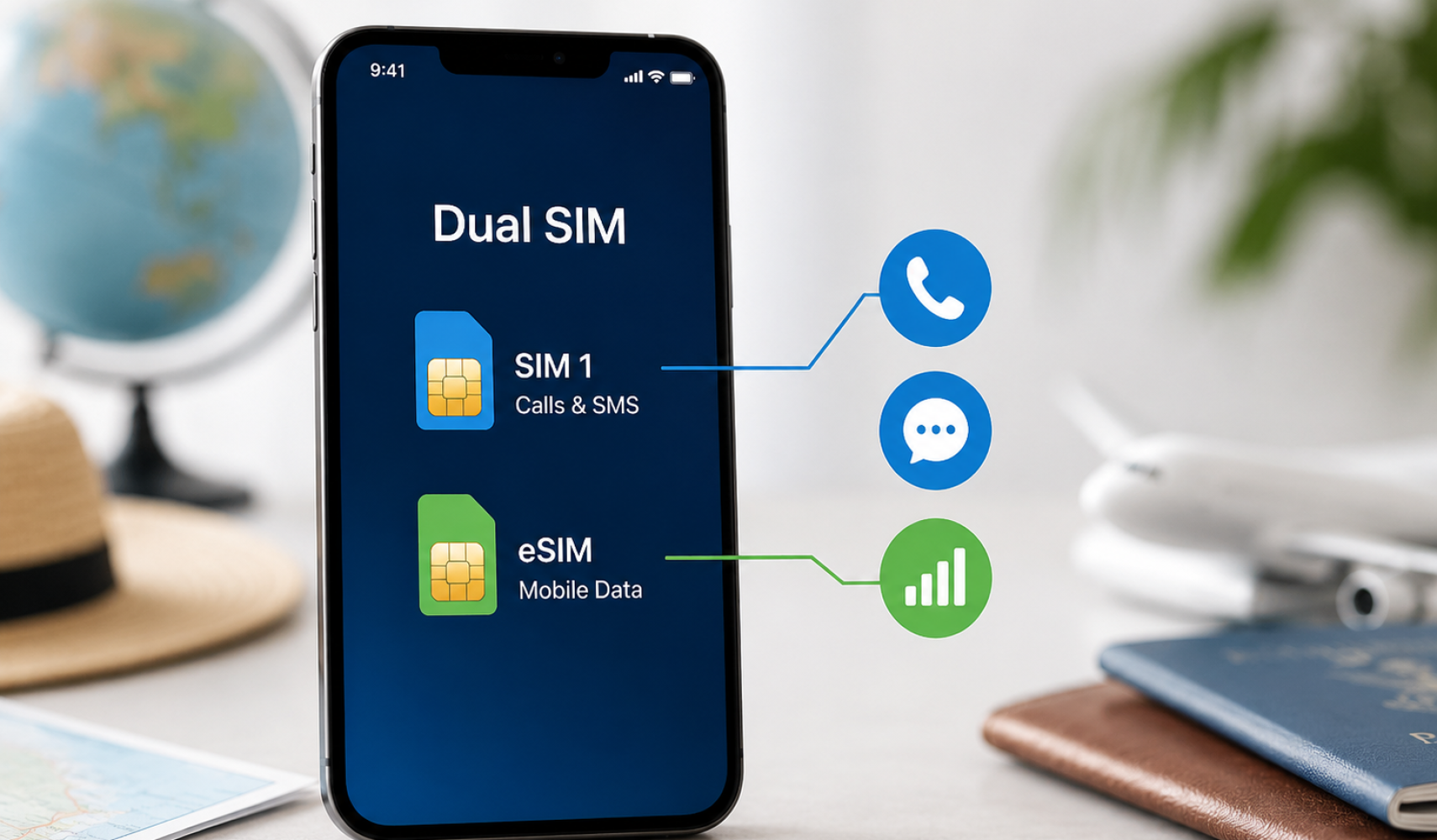
One of the most common dilemmas for international travelers is how to stay in touch using their primary number without incurring massive roaming fees. Dual SIM technology provides the perfect solution. By keeping your home physical SIM active for calls and SMS and activating a travel eSIM for mobile data, you achieve the best of both worlds. For example, you can set your phone to use your home SIM for incoming calls and texts, ensuring you don't miss important messages or two-factor authentication codes from your bank, while simultaneously setting your eSIM as the primary line for all internet usage. This setup means you can browse maps, check emails, and use social media with affordable local data, all while your primary number remains accessible for critical communications. It's a strategic way to manage your connectivity, offering peace of mind and significant cost savings.
How to Set Up Dual SIM on iPhone (eSIM + Physical SIM)
Setting up dual SIM on an iPhone (XS, XR, and later models) is straightforward, especially when combining a physical SIM with an eSIM. First, ensure your physical SIM is inserted and active. Next, purchase an eSIM plan from a provider like eSIMstep. You'll typically receive a QR code or manual activation details. Go to 'Settings' > 'Cellular' > 'Add Cellular Plan'. You can then scan the QR code or enter the details manually. Your iPhone will prompt you to label your cellular plans (e.g., 'Home' and 'Travel') and choose which line is primary for calls, messages, and mobile data. For travelers, we recommend setting your home SIM for calls/SMS and your eSIM for mobile data. You can easily switch these preferences at any time in your cellular settings. The process is designed to be intuitive, allowing you to get connected quickly and efficiently.
How to Set Up Dual SIM on Android (eSIM + Physical SIM)
Android phones supporting dual SIM functionality (which varies by model and manufacturer) also offer a simple setup process. Most modern Android devices from brands like Samsung, Google Pixel, and OnePlus now support eSIM alongside a physical SIM slot. Begin by ensuring your physical SIM is in place. To add an eSIM, navigate to 'Settings' > 'Network & internet' (or 'Connections' on Samsung) > 'SIMs' or 'Mobile network'. Look for an option like 'Add eSIM' or 'Download a SIM'. You'll then scan the QR code provided by your eSIM provider (like eSIMstep) or manually enter the activation code. Once both SIMs are recognized, you can manage their preferences. Label your SIMs for easy identification (e.g., 'Work' and 'Personal' or 'Home' and 'Travel'). From here, you can designate which SIM handles calls, texts, and mobile data, giving you full control over your connectivity while traveling.
Choosing the Default Line for Calls, SMS, and Mobile Data
Once you have both your physical SIM and eSIM active, your phone gives you granular control over how each line is used. In your phone's cellular or network settings, you'll find options to designate a 'Default Voice Line,' 'Default SMS Line,' and 'Default Mobile Data Line.' For travelers, the optimal setup is usually: Default Voice Line: Your home physical SIM (to receive calls and make emergency calls if needed). Default SMS Line: Your home physical SIM (for receiving crucial SMS like bank verification codes). Default Mobile Data Line: Your travel eSIM (for affordable internet access abroad). This configuration ensures you maintain your primary contact number for essential communications while leveraging the cost-effectiveness of an eSIM for all your data needs. You can always switch these defaults based on your specific travel situation or communication requirements, offering ultimate flexibility.
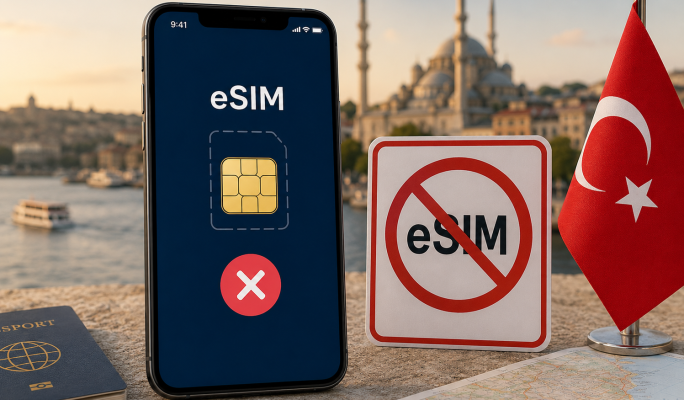
Is eSIM Banned in Turkey? Facts and Restrictions
22 Jun 2026